


Collect it all. Stream it everywhere.
Films, shows, music, audiobooks, books, courses, games and photos, in one beautiful home that runs on your computer and plays on every screen.
Free for your whole household. Windows, macOS, Linux, Docker and NAS.
One home
Every collection. One home.
Collectoh knows what each kind of media needs, whether that's seasons and episodes, albums and lyrics, chapters and bookmarks, or lessons and progress, and gives every one a home made for it.
-

-
-

-

-

-

-
-

-

-


Take the tour
Beautiful from the first scan.
Point Collectoh at your folders. It recognises what's there, brings in posters, cast, covers and lyrics, and lays it all out like your favourite streaming service. The difference is that every title in it is yours.
Collectoh's home for films and shows: a featured film across the top with Play, then rows of posters to continue watching and just added.

An anime series in Collectoh: episodes numbered in one run from the first, Japanese audio with English subtitles drawn as they were made, and the intro skipped.


An artist's page in Collectoh: their photo, popular tracks with plays, albums, and the song playing now with its lyrics.


An audiobook in Collectoh: its chapters, the place you stopped, the speed you like and a sleep timer for the end of the chapter.


Books in Collectoh: covers on a shelf, and a book open in the reader at the reader's place.


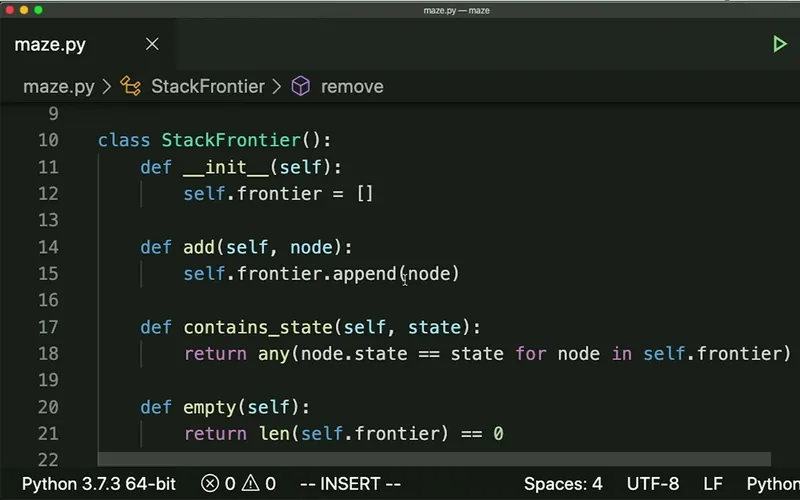
Harvard's CS50x in Collectoh: its lectures with what is finished, the progress so far, the next lecture, and a search that found the moments an idea is explained.

Memories in Collectoh: photos and home videos together by month, the people found in them to name, and keywords like beach and sunset.


Games in Collectoh: the game being played across the top, to continue from its last save, then the library's platforms and a shelf of games, each with how far through it is.


Plays everything
Any file.
Every screen.
Collectoh plays files as they are whenever your screen can, and converts them as they stream when it can't, on NVIDIA, Intel, AMD and Apple graphics. 4K HDR is tone-mapped for ordinary screens, subtitles are found, synced and styled, and intros and credits are one tap from gone.
- 4K & HDR
- Hardware transcoding
- Skip intro & credits
- Subtitle search & sync
- Thumbnail scrubbing
- Downloads for offline


Music, understood
It knows how your music sounds.
Collectoh listens to every track on your own computer and learns its sound. Start radio from a song, ask for more like this, or take a Segue: a path from one track to another that flows the whole way. With synced lyrics, popular tracks and similar artists on every page.
- Synced lyrics
- Radio & mixes
- Segue
- Gapless & ReplayGain


Learn from what you own Plus
Your courses, finally organised.
Folders of lessons become real courses with sections, progress, streaks, notes and bookmarks. Collectoh reads every transcript too, so you can search for an idea rather than a word, and jump straight to the moment it's explained.
- Progress & streaks
- Notes & bookmarks
- Transcripts
- Search by meaning


Memories
Every face. Every place.
Faces are found and gathered for you to name, photos are tagged by what's in them, and every trip sits on the map. It all happens on your own hardware, so nothing leaves your home. Upload from your phone, or bring in a Google Drive, OneDrive or Dropbox.
- Face recognition Plus
- Tags by what's in them Plus
- Map & timeline
- Uploads from your phone

Better together
Movie night, miles apart.
Start Watch Together and everyone plays in step, pausing, seeking and chatting as one. Send what you're watching to the big screen with a tap, and invite family and friends, each with their own profile, limits and history.
- Watch Together Plus
- Cast between screens
- Profiles & invites
- Parental controls


Games Plus
Press start on your collection.
Cartridges, discs and PC games, sorted by platform, with box art, screenshots and the story of each one. Older consoles play right in your browser, on a computer or the TV with a game pad, and your saves wait on your server. Collectoh doesn't come with emulators or games: you add the free EmulatorJS, and your own games.
- Plays in your browser
- Saves on your server
- Game pads & TVs
- Play time & progress


Pick your plan
Save 48% with a yearly plan, or pay once and keep Plus for life.
Founder deal: Plus for life for $20 instead of $49.99, for a limited time.
| Plans | Best valueCollectoh Plus | Collectoh |
|---|---|---|
| Price | $3.99/mo | Free forever |
| Films, TV, music, audiobooks, books and photos | ||
| Stream at home and away, for everyone you share with | ||
| Hardware transcoding, 4K and HDR | ||
| Unlimited users, profiles and parental controls | ||
| Skip intro, downloads, casting and DLNA | ||
| Radio, Segue and every music feature | ||
| Plugins and the API | ||
| Courses, with progress, notes and transcripts | ||
| Games, with older consoles played in the browser | ||
| Your own logo, themes and custom fields | ||
| Libraries on OneDrive, Google Drive and Dropbox | ||
| Watch Together, with a chat | ||
| Face recognition and photo tagging | ||
| Search courses and videos by meaning | ||
| Early access to the new apps, and priority support | ||
| Get Plus | Sign up free |
Prices in US dollars. Plus is bought by a server's owner and covers one of their servers, and everyone they share it with. A yearly plan is charged once a year at its yearly price; lifetime is a single payment.
And there's more
More reasons to love it.
Private by design
Your collection stays on your hardware. No ads, no tracking, and nothing you watch is logged in someone else's cloud.
Every screen
Any modern browser, a TV mode made for the sofa, DLNA for older TVs and receivers, and casting between screens.
Made for sharing
Invite family and friends with their own profiles, and decide who sees what with age ratings, labels and viewing hours.
Yours to shape Plus
Your own logo, themes and a theme editor, a home screen you arrange yourself, and library types and fields of your own.
Smart metadata
Posters, cast and covers from TMDB, TheTVDB, MusicBrainz, fanart.tv, Open Library and Audible, or straight from the files beside your media.
Open by default
A documented API with scoped keys, plugins and a typed SDK, so it fits the rest of your setup.
Cloud drives and buckets welcome Plus
Keep media on your OneDrive, Google Drive, Dropbox or S3-compatible bucket and stream it as if it were on your own disk. They're your own accounts: Collectoh connects to them, and doesn't provide the storage or pay for it.
Safe and sound
Two-factor sign-in, scheduled backups and a one-step restore, so years of watching are never lost.


Watch everywhere
On every screen you own.
Collectoh plays in any modern browser on your TV, phone, tablet and laptop, with a TV mode made for the remote. Older TVs and receivers find it over DLNA, and any screen can hand what's playing to another.
Ready now
- Chrome
- Edge
- Safari
- Firefox
- Smart TV browsers
- DLNA TVs & receivers
Apps coming soon
- iPhone & iPad
- Android
- Android TV & Google TV
- Apple TV
- Roku
- PlayStation
- Windows, macOS & Linux
Free download
Get Collectoh
Install it on the computer that holds your media. The setup wizard finds your folders and does the rest.
Collectoh for Linux
For Ubuntu, Debian, Fedora and friends, as a system service.
Collectoh in Docker
The collectoh/server image with PostgreSQL and Redis beside it. The compose file asks for a secret key and a database password the first time; add its GPU overlay for hardware transcoding.
$ curl -fsSLO https://collectoh.com/docker-compose.yml
$ docker compose up -dCollectoh on your NAS
For Synology, QNAP, Unraid and TrueNAS. Find Collectoh in your NAS's app centre, or run the Docker image.
Then open http://localhost:8080, or your computer's name at port 8080 from any device at home, and sign in with your free Collectoh account.
Sign up and install
Create your free Collectoh account, then install it on the computer or NAS that holds your media, or start the Docker image.
Add your folders
The setup wizard finds your films, shows, music, books and photos, and brings in their artwork.
Invite your people
Send a link. Everyone gets their own profile, and watches on whatever screen is nearest.

What are you waiting for?
Start collecting.
Download free
Frequently asked questions
What is Collectoh?
Collectoh is a media server: an app you install on a computer or NAS that holds your films, shows, music, audiobooks, books, courses, games and photos. It organises everything, brings in artwork and details, and streams it all to any screen, at home or away.
How much does Collectoh cost?
Collectoh is free, with films, TV, music, audiobooks, books and photos, streaming at home and away, hardware transcoding and unlimited users included; all it takes is a free Collectoh account for whoever sets up the server. Collectoh Plus adds courses, games, full customisation, libraries on your own cloud storage, Watch Together, face recognition, photo tagging, search by meaning and early access to the new apps, for $3.99 a month, $24.99 a year or $49.99 once$20 once with the founder deal ($49.99 once it ends). Compare every feature.
What do I need to run it?
A computer or NAS with your media on it: Windows 10 or 11, macOS 13 or later, Linux, or anything that runs Docker. A graphics card or a recent Intel, AMD or Apple chip makes converting video effortless, but isn't required.
Can I watch away from home?
Yes. Collectoh streams over the internet, adjusting quality to your connection as you watch, and you can download titles to take with you.
Which devices can I watch on?
Any modern browser on your TV, phone, tablet or computer, with a TV mode for the remote. TVs and receivers that speak DLNA can play from it too. Apps for iPhone, iPad, Android, Apple TV, Android TV, Roku and PlayStation are coming soon.
Can I watch live TV, or Netflix and Disney+?
Live TV, yes: connect an HDHomeRun tuner with an aerial, or the playlist from an IPTV service you pay for, add a guide of what's on, and watch and record from any browser. Netflix, Disney+, Hulu and the other streaming services play only in their own apps, so Collectoh doesn't play them; Discover shows what's on each service you have, and opens it there.
Is my collection private?
Your media never leaves your hardware, there are no ads, and Collectoh doesn't track what you watch. It asks catalogues like TMDB and MusicBrainz only for artwork and details, and face recognition, photo tagging, voice and music analysis all run on your own computer.
Can I share with family and friends?
Invite anyone with a link. Each person gets their own profile, watch history and place in every film, and you choose which libraries they see, with age ratings, labels and viewing hours for the children.
Can I bring the library I already have?
Point Collectoh at the folders you already have. It understands common naming, Kodi-style NFO files and the artwork beside your media, so a library organised for another media server comes in as it is.
Which formats does it play?
Practically everything: MKV, MP4, AVI, disc folders and ISO images; H.264, HEVC, AV1 and VP9; HDR10 and Dolby Vision; FLAC, ALAC, MP3 and Opus; EPUB, PDF and comic archives. Whatever a screen can't play directly is converted as it streams.